



 10 minutes to read
2026-01-09
Natalie Selby
Trading the News: How to Use an Economic Calendar


Trading isn’t just about charts and indicators — it’s also about understanding why markets move. News events, economic data releases, and central bank decisions can cause significant price swings across currencies, stocks, and commodities. Learning how to trade these events can help you capture opportunities during market volatility.
In this guide, you’ll learn what news trading is, how to use the economic calendar for traders, and how to apply fundamental analysis on ExpertOption to make informed decisions.
What Is News Trading?
News trading is a strategy that involves opening positions based on upcoming or newly released economic data and events. These can include:
- Central bank interest rate announcements
- Employment reports
- GDP and inflation data
- Corporate earnings releases
- Geopolitical news
When this information hits the market, prices can move sharply as traders adjust their expectations. The goal of news trading is to anticipate or react quickly to these shifts.
Why News Matters
Market news directly affects sentiment. Positive economic indicators can boost confidence in a currency or stock, while negative data often trigger sell-offs. For example, higher-than-expected inflation could strengthen a country’s currency as traders expect interest rate hikes.
This is where ExpertOption news trading becomes powerful — it helps you track, analyze, and react to events in real-time using integrated market tools.
How to Use the Economic Calendar on ExpertOption
The economic calendar for traders is one of the most important tools in your trading toolkit. It shows scheduled economic events and their expected impact on the market.
Step-by-Step: ExpertOption Calendar Tutorial
Here’s how to make the most of the ExpertOption economic calendar updates each week:
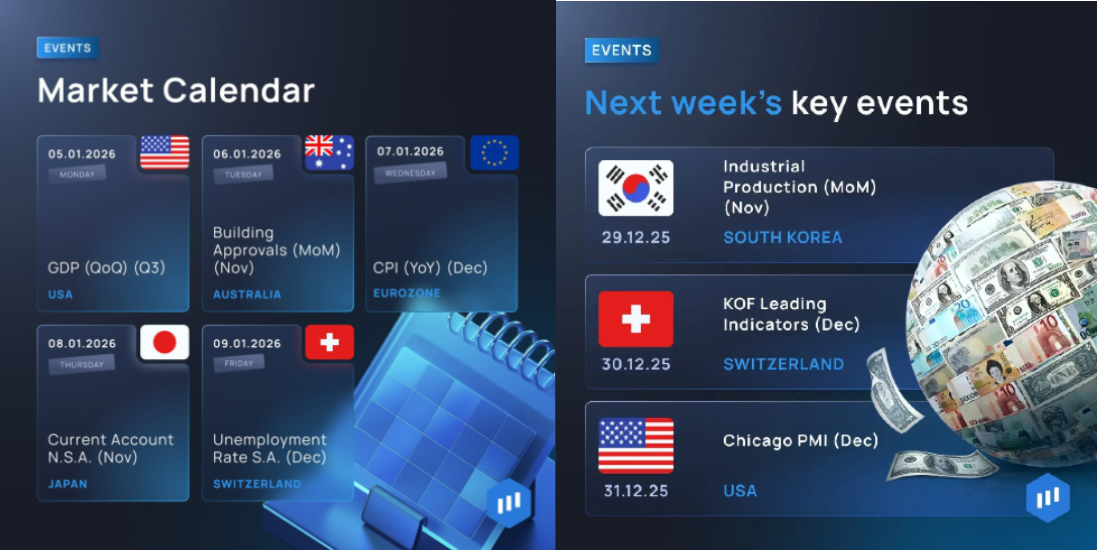
- Check the Weekly Calendar: Follow ExpertOption’s official social media channels to see the “Week Ahead” calendar. It lists key economic events, their dates, and the assets most likely to be affected.
- Mark High-Impact Events: Pay attention to major releases, such as U.S. job data, interest rate decisions, or GDP figures. These often cause market volatility, creating both risks and opportunities for short-term traders.
- Prepare Before the News: If a major event is coming up, decide whether you’ll trade before or after the announcement. Many traders prefer to wait for confirmation rather than predict sudden price spikes.
- Use ExpertOption Tools for Fundamental Analysis: Combine calendar insights with ExpertOption’s real-time charts and technical indicators to analyze how markets react to news. This mix of data and price action helps refine your trading decisions.
- Adjust Risk and Strategy: Around high-impact events, use safe trading strategies — such as smaller position sizes or shorter trade durations — to manage volatility effectively.
Tip: Treat the weekly economic calendar as your roadmap. It helps you anticipate what’s driving market movement and plan trades based on real-world events, not just price charts.
How to Trade News on ExpertOption
Trading the news requires both preparation and quick decision-making. Here’s how to approach it safely and strategically:
1. Choose High-Impact Events
Focus on major reports that typically cause market volatility, such as:
- U.S. Federal Reserve meetings
- European Central Bank statements
- CPI (Consumer Price Index)
- Nonfarm Payrolls (NFP)
- GDP growth rates
These events tend to create strong price reactions that offer short-term trading opportunities.
2. Use Pending Orders
If you expect a big move but don’t know the direction, set pending orders above and below key levels before the news. Once the data is released, one of the orders will trigger in the direction of the breakout.
3. Manage Risk Carefully
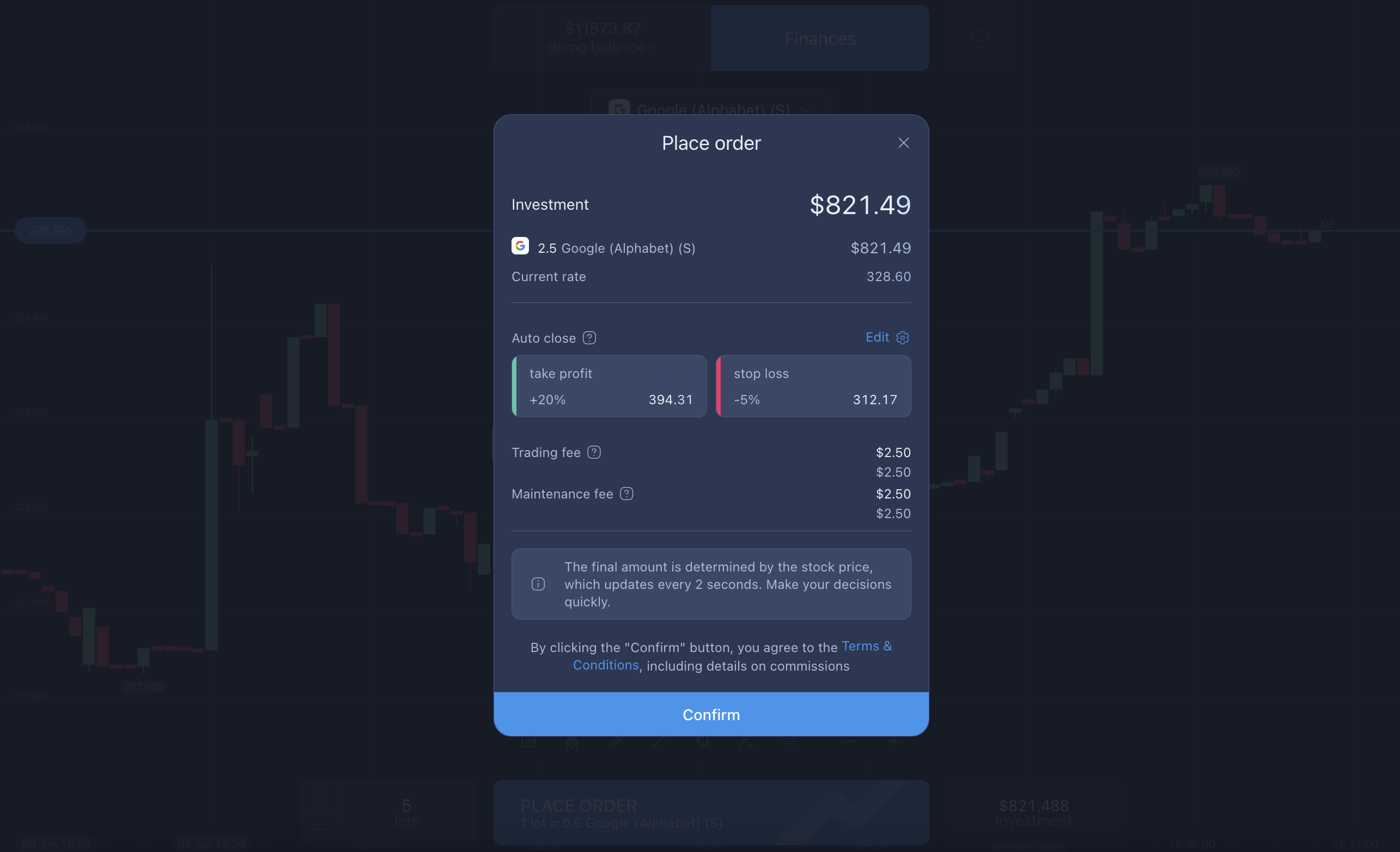
Always use stop-loss and take-profit levels. The best trading risk management strategies on ExpertOption involve setting predefined limits before volatility spikes. Avoid opening large positions; instead, focus on small, controlled trades.
4. Combine Technical and Fundamental Analysis
Use ExpertOption’s charting tools alongside its fundamental analysis features. For instance:
- Identify support and resistance zones on charts.
- Watch for breakout confirmations after a major announcement.
- Use economic data to confirm your technical outlook.
This combination helps you balance analysis with real-time event reactions.
Fundamental Analysis with ExpertOption
Understanding fundamental analysis on ExpertOption helps you predict long-term market trends based on macroeconomic data rather than just short-term price moves.
Core Economic Indicators to Watch
Some of the most influential economic indicators include:
- Inflation (CPI, PPI): Shows how fast prices are rising.
- Interest Rates: Set by central banks; directly affect currencies.
- GDP Growth: Measures economic strength and productivity.
- Employment Data: Reveals job market health and spending potential.
- Trade Balance: Affects currency demand.
By tracking these indicators in the ExpertOption economic calendar, traders can anticipate where markets might move next.
How to Set Up an Economic Calendar for Your Needs
Customizing your calendar helps you stay focused and efficient.
- Identify Your Preferred Assets: If you trade EUR/USD, filter for Eurozone and U.S. events only.
- Mark High-Impact Events: Highlight critical releases, such as central bank meetings or inflation data.
- Set Notifications: Use alerts to remind you before key announcements so you can prepare or close positions.
- Review After Each Event: Keep notes on how the market reacted versus what was expected — this helps you build intuition over time.
By creating a personalized setup, your ExpertOption calendar tutorial becomes a daily habit that enhances trading discipline.
What Is the Safest Way to Start Trading on ExpertOption?
If you’re new, safety and control come first. The safest way to start trading on ExpertOption includes:
- Practicing with a demo account before using real funds.
- Trading small position sizes until you gain confidence.
- Avoiding high-leverage trades during volatile news events.
- Following a clear trading plan with defined risk limits.
With ExpertOption’s secure platform, real-time monitoring, and instant trade execution, beginners can focus on learning without unnecessary exposure.
What Features of the ExpertOption Platform Help Manage Risks?
ExpertOption offers several tools to help you protect your capital and trade responsibly:
- Stop-Loss / Take-Profit Orders: Automatically close trades at your defined limits.
- Real-Time Market News: Integrated market news and events on the ExpertOption feed keep you informed.
- Economic Calendar for Traders: Stay updated on major global events.
- Fundamental and Technical Tools: Combine charting, analysis, and data-driven insights.
Together, these tools empower traders to balance opportunity and safety effectively.
Why Market Volatility Can Be an Opportunity
While volatility can seem intimidating, it’s also where many traders find the best opportunities. Fast-moving markets create potential for quick profits — as long as risk is managed correctly.
By understanding the timing and impact of economic releases, traders can turn market reactions into informed strategies rather than emotional decisions.
In conclusion
The economic calendar for traders is your roadmap to smarter decisions. By combining ExpertOption news trading with strong fundamental analysis, you can anticipate market moves instead of reacting to them.
Use the ExpertOption tools for fundamental analysis, stay informed with market news from ExpertOption, and practice safe trading habits to make every trade more strategic.
Remember: success in news trading comes from preparation, patience, and consistent learning. Let ExpertOption guide your journey toward more informed and confident trading.
Latest Posts
Trading Education
Trading News
Trading Strategies
Promotions & Tournaments
Success Stories & Tips
Platform Updates
Global events, stocks, crypto, forex
ExpertOption Reviews: An Honest Overview and Tips from Traders
5 minutes to readExpertOption Withdrawal Policy: How Withdrawals Work and Why Balance Management Matters
5 minutes to readExpertOption Reviews: An Honest Overview and Tips from Traders
5 minutes to readExpertOption Withdrawal Policy: How Withdrawals Work and Why Balance Management Matters
5 minutes to read